Building an OAuth app
Register an app, send people to Ghost to approve it, and exchange the code for a token that calls the API
An OAuth app lets your tool act on someone's Ghost account without asking for their password. The person approves the app once, choosing what it may do, and your app receives a token it can call the API with. Ghost speaks GitHub's OAuth: a library or tool written for GitHub OAuth apps works against Ghost once you point it at your Ghost host.
The flow has three parts:
- You register the app once and get a client ID and a client secret.
- Your app sends each person to Ghost, where they approve it. Ghost sends them back to your app with a one-time code.
- Your app exchanges the code, with its secret, for an access token.
In the examples below, api.<domain> is your Ghost API host and <web> is the Ghost web app.
Register the app
Open Settings → OAuth apps and choose New OAuth app.
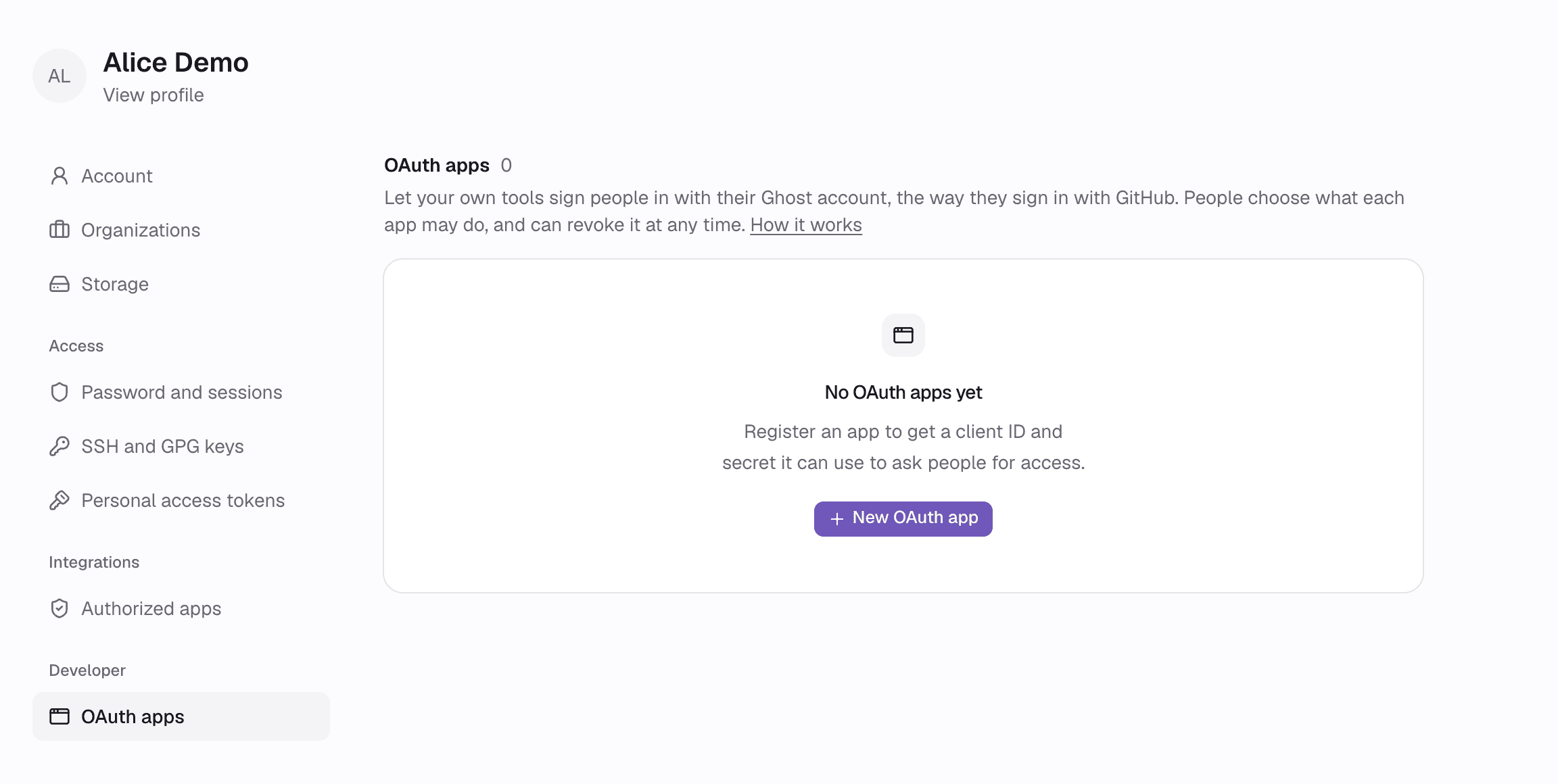
To register the app for an organization instead, open the organization's settings at <web>/<org>/settings/oauth-apps. Every admin and owner of the organization can see and manage its apps, and people see the organization as the app's owner when it asks for access. Members below admin cannot. When the organization is deleted, its apps go too, and every token they were given stops working.
Fill in the form:
- Application name: what people see when your app asks for access.
- Description: optional. One or two sentences on what the app does, shown on the approval page.
- Homepage URL: your app's website.
- Callback URLs: where Ghost sends people after they approve the app. Add your production callback and, while you develop, a
http://localhostone. See Callback URLs for the rules. - Enable device flow: only for command-line tools and devices that cannot receive a callback. See The device flow.
- Expire user authorization tokens: access tokens last 8 hours and come with a refresh token. See Refreshing tokens.
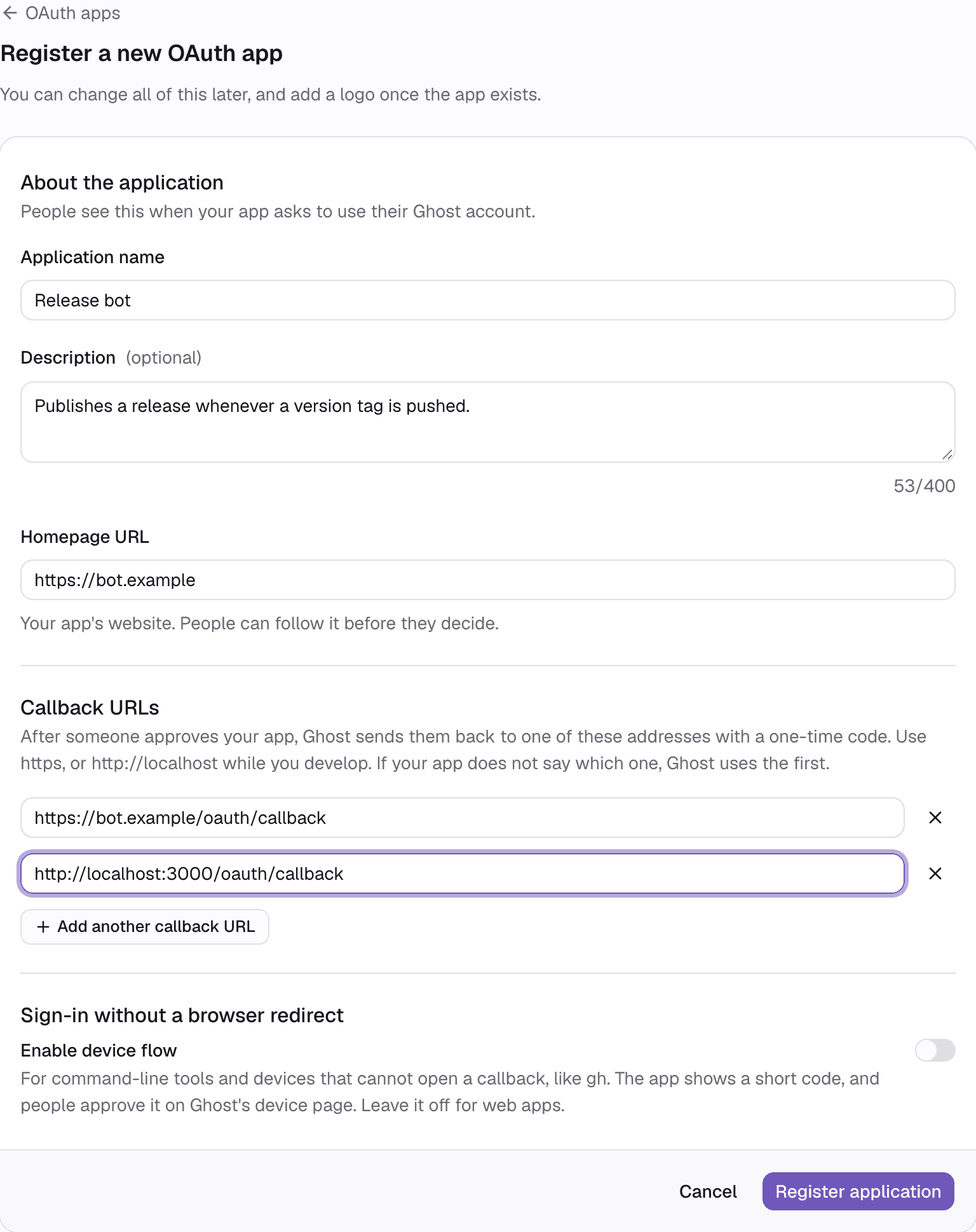
Choose Register application. Ghost shows the client ID and the client secret.
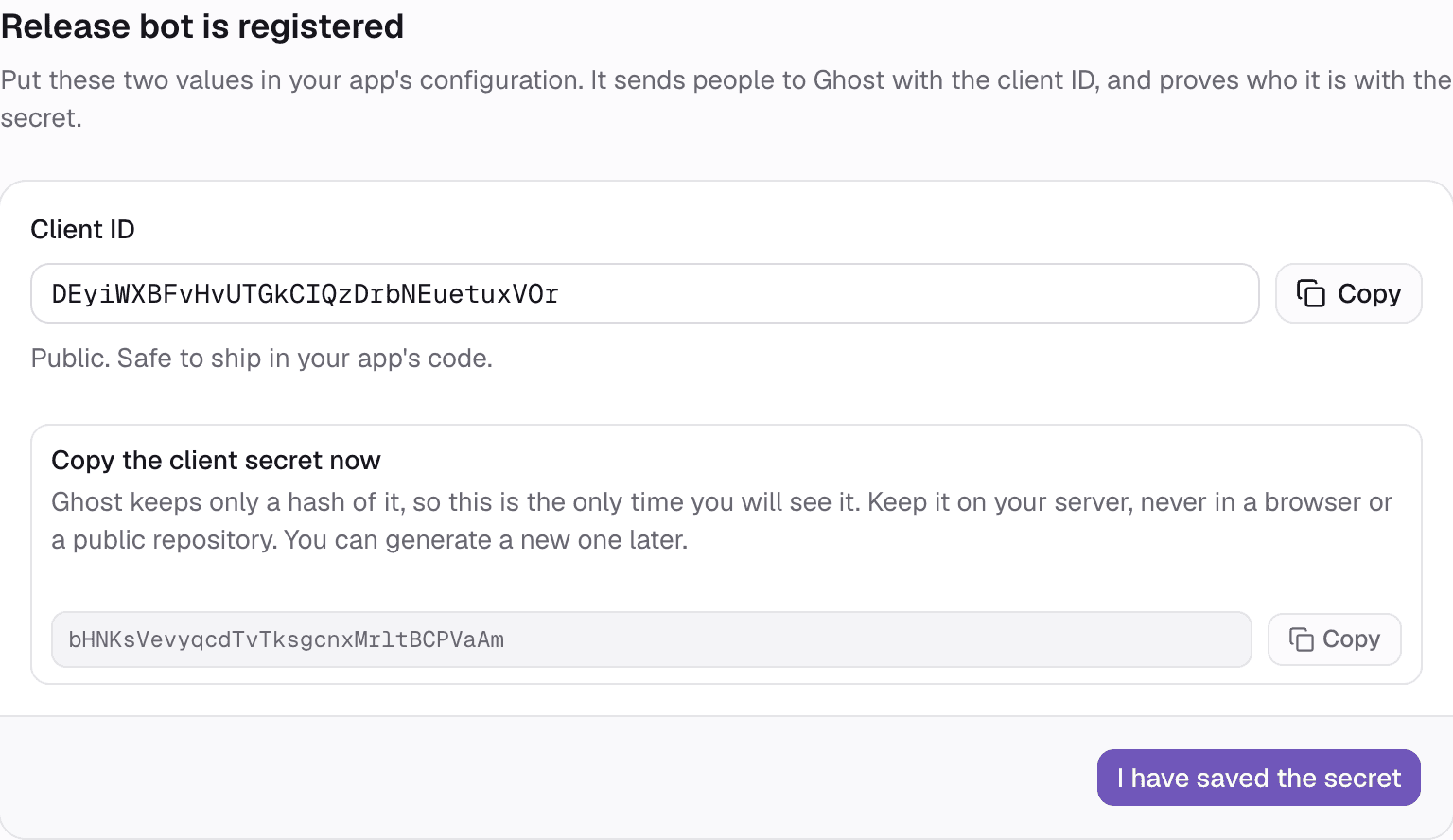
Copy the client secret now. Ghost keeps only a hash of it and cannot show it again. Keep it on your server, never in a browser, a mobile app or a public repository. If you lose it, generate a new one.
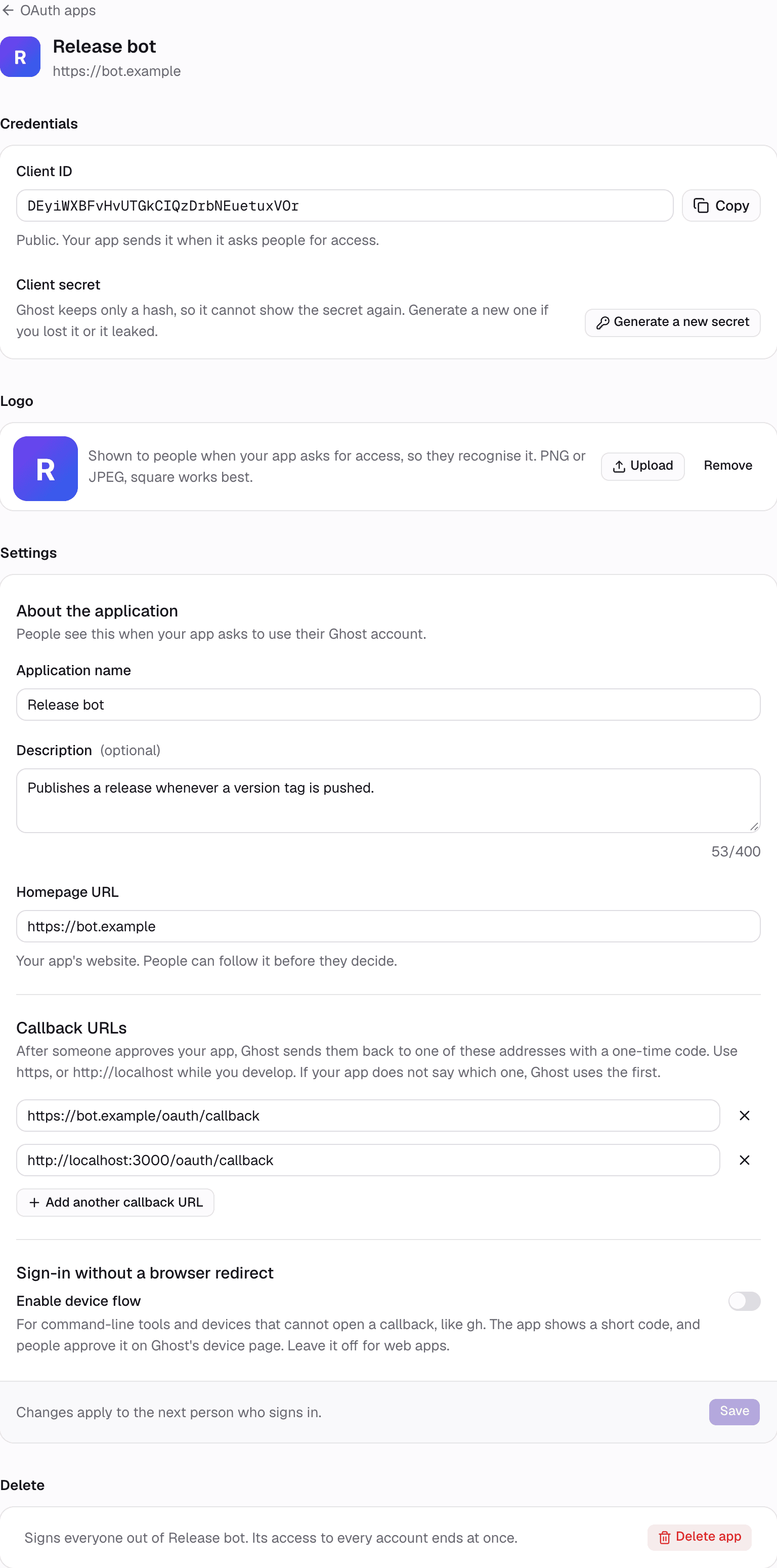
The app's page then holds everything you can change later: the credentials, a logo, the settings, and deleting the app.
Callback URLs
- Use
https://, orhttp://onlocalhost,127.0.0.1or[::1]while you develop. Plainhttp://on any other host is refused. - An app can have up to 10 callback URLs.
- When your app names a
redirect_uri, it must have the same scheme, host and port as one of the callback URLs, and its path must equal that callback's path or sit under it. With a callback ofhttps://bot.example/oauth/callback:
redirect_uri | Accepted |
|---|---|
https://bot.example/oauth/callback | Yes |
https://bot.example/oauth/callback/github | Yes |
https://bot.example/oauth/callback?next=%2Fhome | Yes |
https://bot.example/elsewhere | No: path outside the callback |
https://bot.example:8443/oauth/callback | No: another port |
https://evil.example/oauth/callback | No: another host |
- When your app names no
redirect_uri, Ghost uses the first callback URL.